Furniture Planner
Furniture Planner: Try the Layout Before the Heavy Lifting
ArchAI’s furniture planner puts 61 objects on a measured floor plan. Move, resize, rotate, duplicate, and type exact dimensions. Then check supported pieces in AR or with the Will It Fit? volume in your real room.
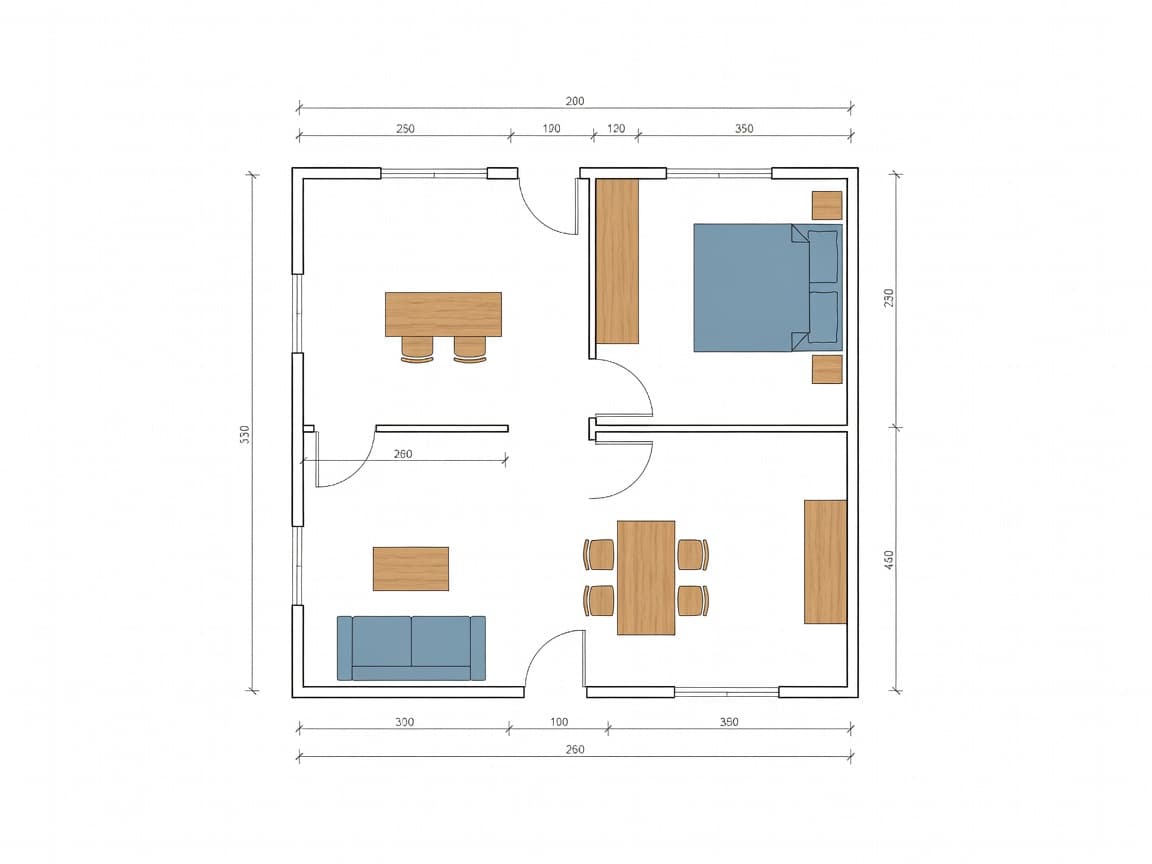
Furniture layout planner with real footprints
Living room, bedroom, kitchen, dining, office, bathroom, outdoor, and space-saving categories are included. Free users start with a core set; Pro unlocks the full catalog.
Plan Check warns when furniture overlaps, blocks a door swing, sits outside a room, or crowds a window.
Check if furniture fits before you buy
Enter width × depth × height and place a translucent box in AR. Presets cover sofa, bed, desk, dining table, refrigerator, and wardrobe. It is a scale check, not a promise from the store.
Furniture Planner questions
Can I check if furniture will fit?
Yes. Set exact sizes on the plan, or enter width × depth × height and place a 3D volume in AR. It is a planning check, not a delivery guarantee.
What furniture categories are included?
Living room, bedroom, kitchen and dining, office and bath, outdoor, and space-saving pieces such as Murphy beds and folding tables.
How this Furniture Planner fits the ArchAI home planner
ArchAI keeps floor plans, LiDAR scans, furniture, 3D views, and renovation tools in one iPhone and iPad app. This page covers furniture planner. For the full product, start on the AI Home Planner homepage, then download ArchAI from the App Store.

Open this in ArchAI
Available for iPhone and iPad.

Related home planner guides